Raspberry_pi4_tutorial
Pi4 basics (Important):
If you don’t have Pi4 basics, you can follow the link to learn the basics:
Learn about Raspberry pi4 briefly.
Learn to launch Raspberry Pi.
Install the GPIO library for Raspberry pi4 (Necessary condition):
Wiring diagram
pi4(Wiringpi) |
pi4(BCM) |
Cube |
|---|---|---|
5V or 3V3 |
5V or 3V3 |
VCC |
GND |
GND |
GND |
14 |
GPIO 11 |
SH_C |
10 |
GPIO 8 |
ST_C |
12 |
GPIO 10 |
DIN |
Get source code
Method 1:
Use WinSCP to upload the downloaded library file to Raspberry Pi4: Link
Tip
The library files are downloaded in the “Previous_tutorial” section!
Method 2:
Open the Raspberry pi4 or Git terminal and run the following command to download it from github.
git clone https://github.com/mosiwi/Mosiwi-4x4x4cube
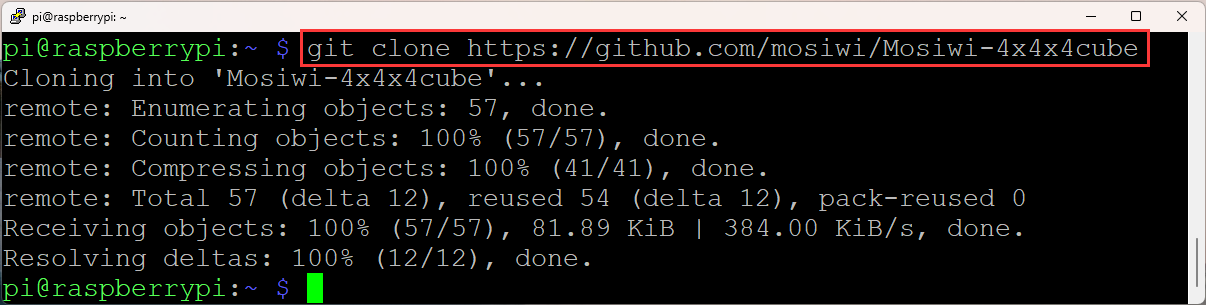
(Terminal of Raspberry pi4)
Add execute permissions for the files:
 cd ~/Mosiwi-4x4x4cube/Pi4/c/examples/3wire/
 sudo chmod 777 cube Makefile

 cd ~/Mosiwi-4x4x4cube/Pi4/c/examples/spi/
 sudo chmod 777 cube Makefile
Run code
3wire example.
cd ~/Mosiwi_4x4x4cube\Pi4\c\examples\3wire

sudo ./cube
SPI example.
cd ~/Mosiwi_4x4x4cube\Pi4\c\examples\spi

sudo ./cube
If you update the execution file or modify the source code, you need to recompile the code.
sudo make
End!