Micro:bit_tutorial
Microbit basics (Important):
If you don’t have microbit basics, you can follow the link to learn the basics:
Wiring diagram
Microbit |
Cube |
|---|---|
3V |
VCC |
GND |
GND |
13 |
SH_C |
16 |
ST_C |
15 |
DIN |
Create a new project
Open the link to create a new online project: https://makecode.microbit.org

Load extension library

Fill in the link on the right in the search field to search for extension packs:
https://github.com/Mosiwi/Mosiwi-4x4x4Cube-for-microbit

Wait for the loading of the library. After the loading is successful, the following figure is shown:

Block code parsing
Initialize and enable
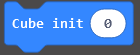
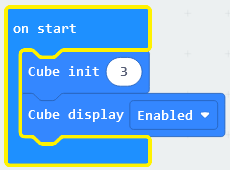
Initializes the total number of concatenated cubes. A maximum of 3 cubes can be concatenated.

Enable all cubes to be concatenated.
Usage:
Light up some leds in the cube by converting a base-2 number to a base-10 number.

Cube: Select a cube in all concatenations. The value can be 0 to 3.
Layer: Select a layer in the cube. The value can be 0 to 3.
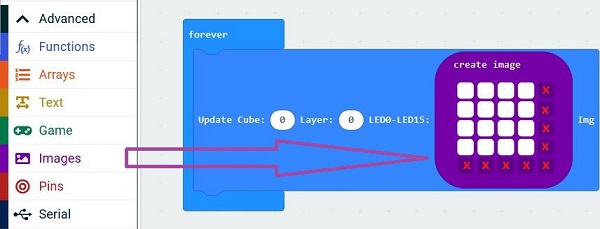
LED0-LED15: The 16 leds in one layer are mapped to a 16-bit binary number: 0bxxxxxxxxxxxxxxxx. Convert to a decimal number from 0 to 65535.Light a layer of leds through images.
 Cube: Select a cube in all concatenations. The value can be 0 to 3.
Layer: Select a layer in the cube. The value can be 0 to 3.
LED0-LED15: A 5*5 lattice image uses only its 4*4 lattice.
Usage:
“x”: invalidLight an LED in the cube through the coordinates.

Cube: Select a cube in all concatenations. The value can be 0 to 3.
X, Y, Z: 0 to 3. LED: 0 or 1, 0: OFF, 1: ON.
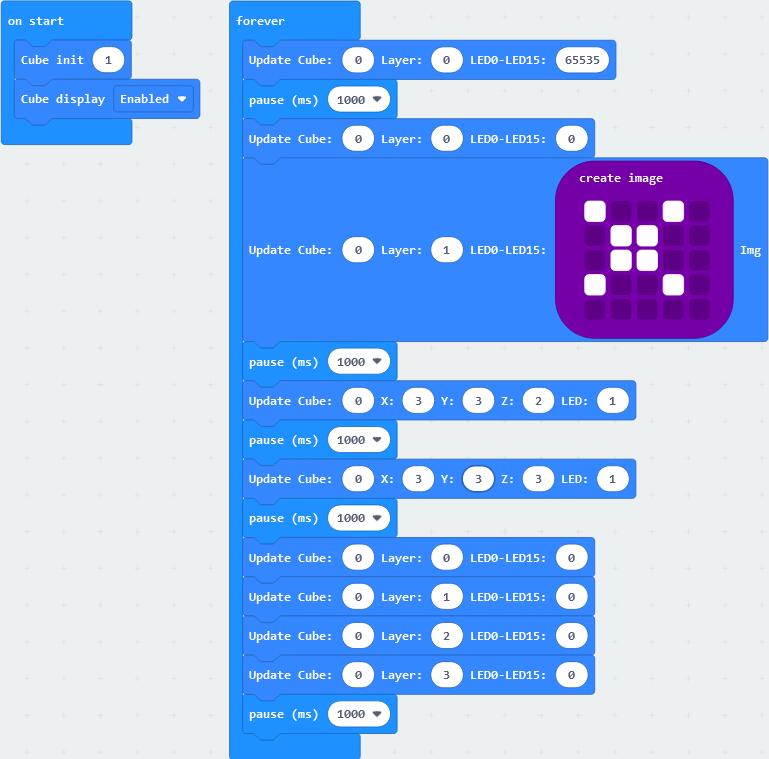
Example code
End!