Restore factory function
eCar in the factory has burned a multi-function code, and SD card stored in some songs, if you lost them, according to the following method can restore them!
Restore factory code
Download bin files: Click me to download!
Install the CH340 driver: Link
Tip
If you’ve already done this step, you can skip it!
Download the burning tool:
ESP official website download tool: Link1

The tools we are using: Link2Connect the PC to the eCar using a Type C USB cable and turn on the power switch of the eCar.
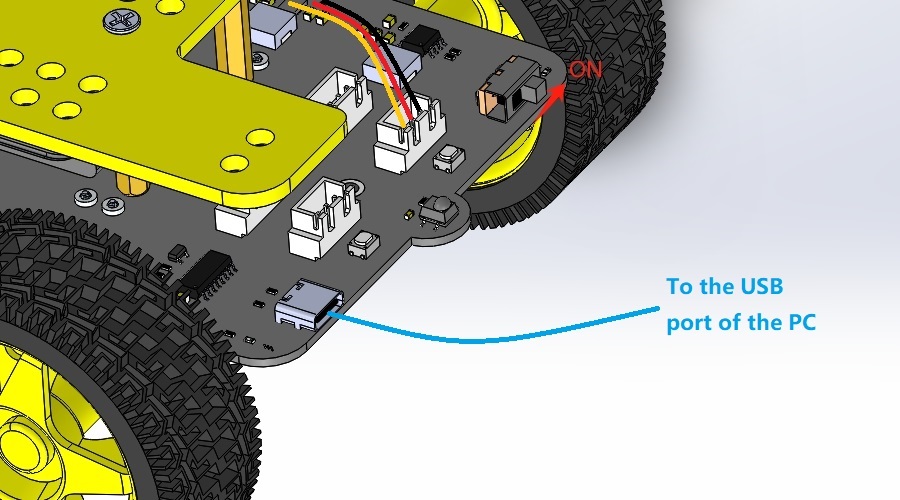
Start the burn tool and burn bin files downloaded above into eCar as follows:
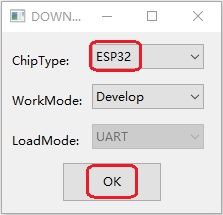
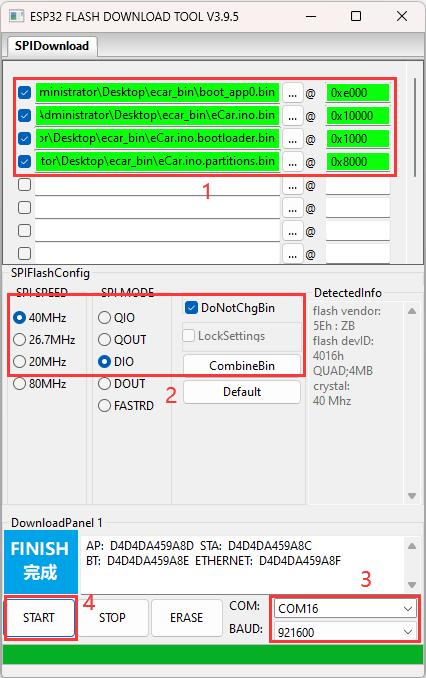
Note
The CH340 driver and proper battery must be installed and the eCar power switch turned on, otherwise the COM port will not be found!
Recover the songs in the SD card
Download the song file and unzip it: Click me to download!
Note
Note that songs are for educational tests only!
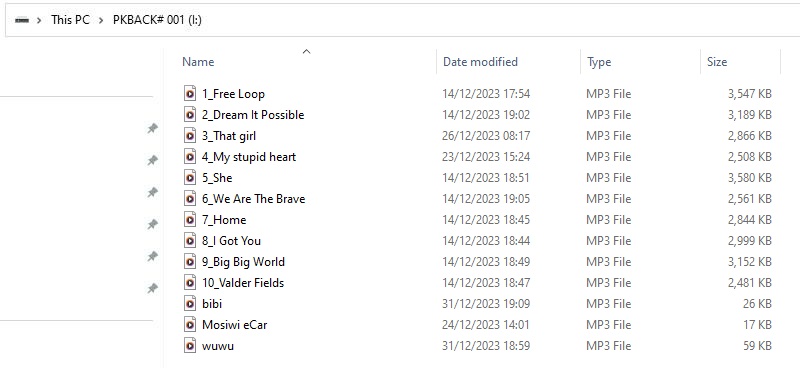
Copy the music downloaded in the previous step to the root directory of your SD card, as follows:
Tip
You need to use the SD card reader!
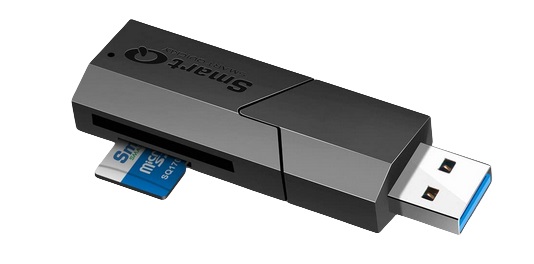
Now insert the SD card into the eCar and start the eCar to remote control it: Link
End!